Delete Your Account
We're sorry to see you go. Follow the steps below to permanently delete your account and data.
This action is permanent and cannot be undone
Once deleted, all your photos, analysis data, and account information will be permanently removed from our servers within 30 days.
Option 1: Delete In-App (Recommended)
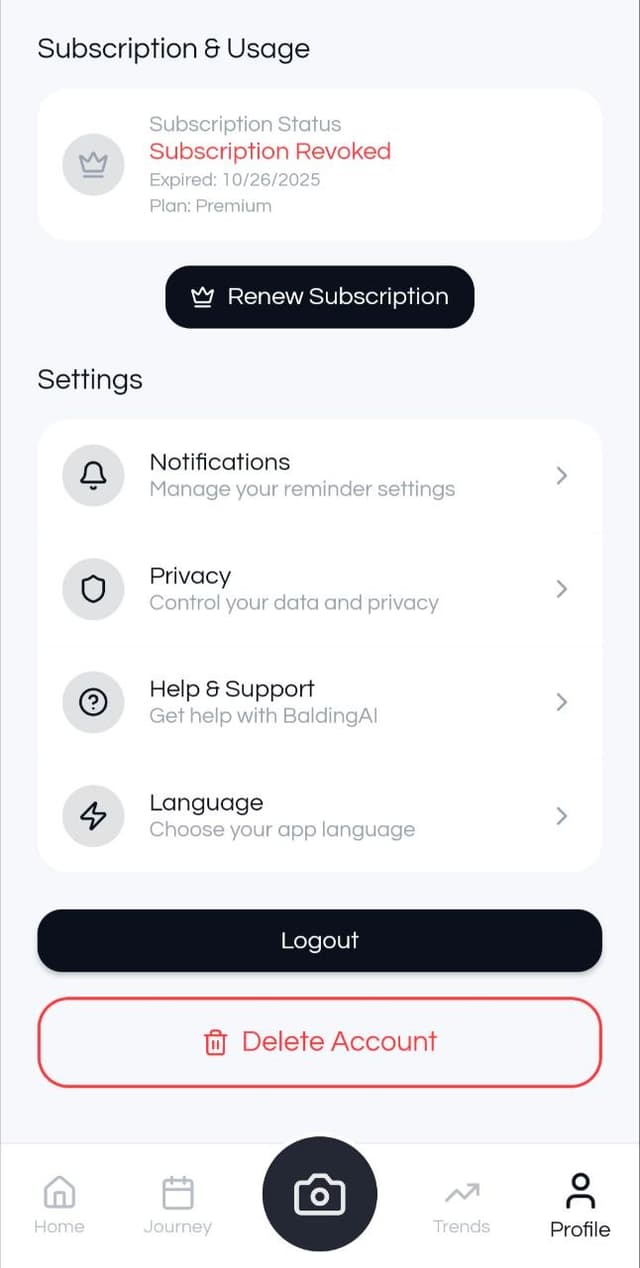
The fastest way to delete your account is directly through the app:
- 1
Open the Balding AI app on your device
- 2
Navigate to "Settings" or "Profile"
- 3
Scroll to the bottom and tap "Delete Account"
- 4
Confirm your decision and enter your password
- 5
Your account will be queued for deletion
Option 2: Request Deletion via Email
If you can't access the app, send us an email request:
Send to:
Subject:
Account Deletion Request
Include:
Your registered email address and any relevant account details
We will process your request within 30 days
What Gets Deleted
All photos and images you've uploaded
Your complete analysis history and metrics
Account information (email, name, profile)
Subscription data and preferences
All other data associated with your account
Need Help?
If you have questions about account deletion or need assistance, contact our support team.
Contact Support